
Booking errands on Jomppa
From your first booking to approving the finished job. The pictures show a made-up order, so your own screens will have your details.
01
Create your account
- 1
Open the sign-up page
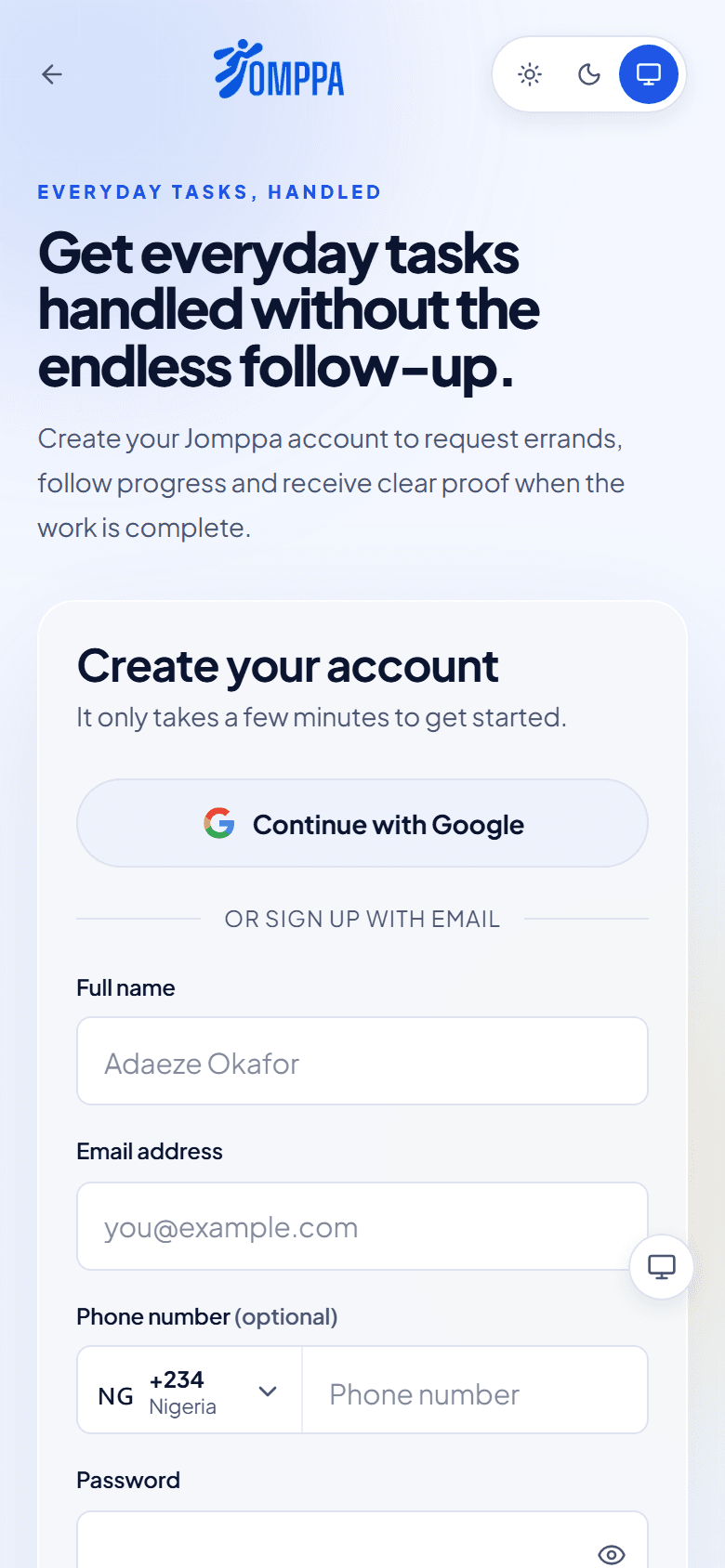
Go to Sign up and fill in your full name, email address and a password, or continue with Google. If you live abroad, turn on I'm based outside Nigeria to set your country and currency.
- 2
Confirm your email
Open the link we email you. You land on your Jomppa home, ready to book.
02
Book an errand
- 1
Start from your home screen
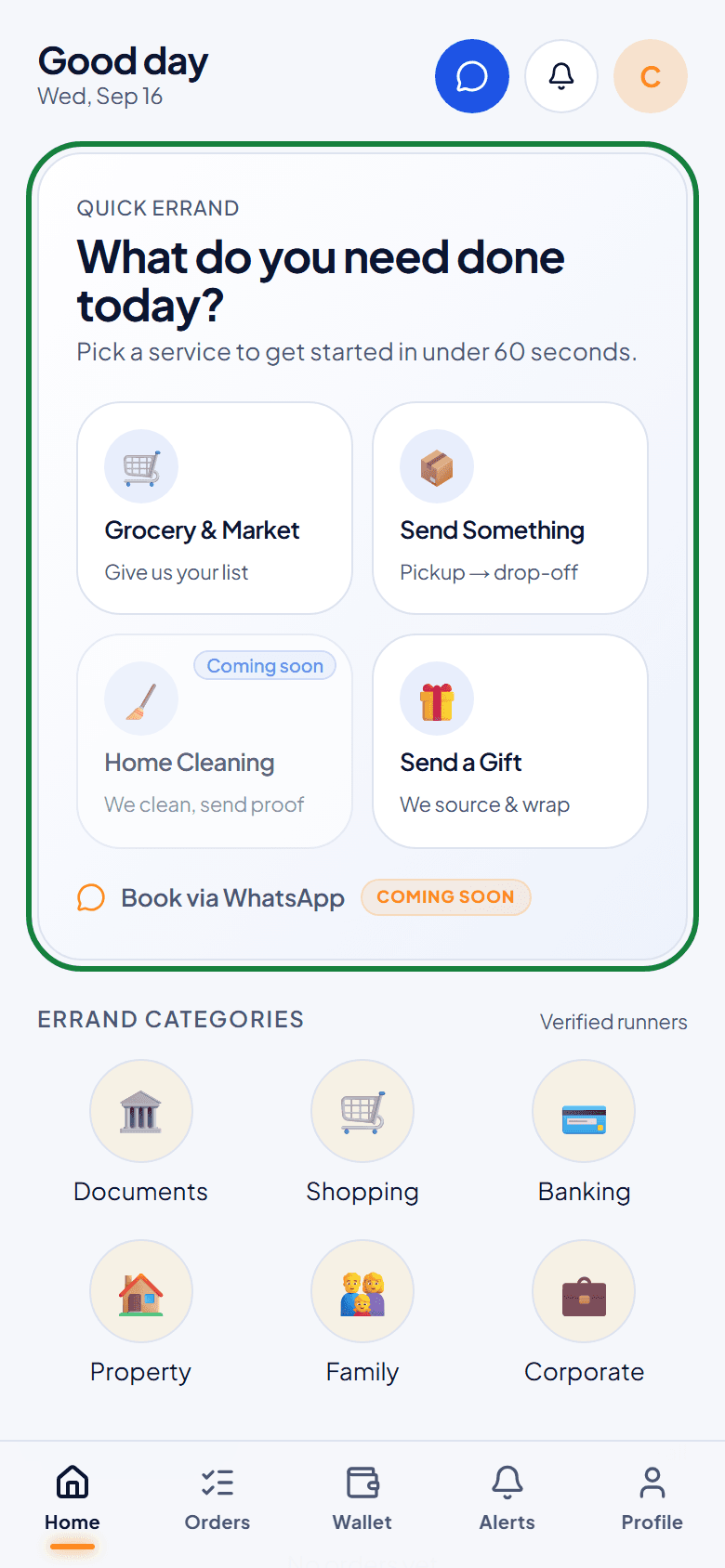
Under What do you need done today?, tap the kind of help you need. On a computer you can also use Book Errand or Book Courier in the menu on the left.
- 2
Choose the service
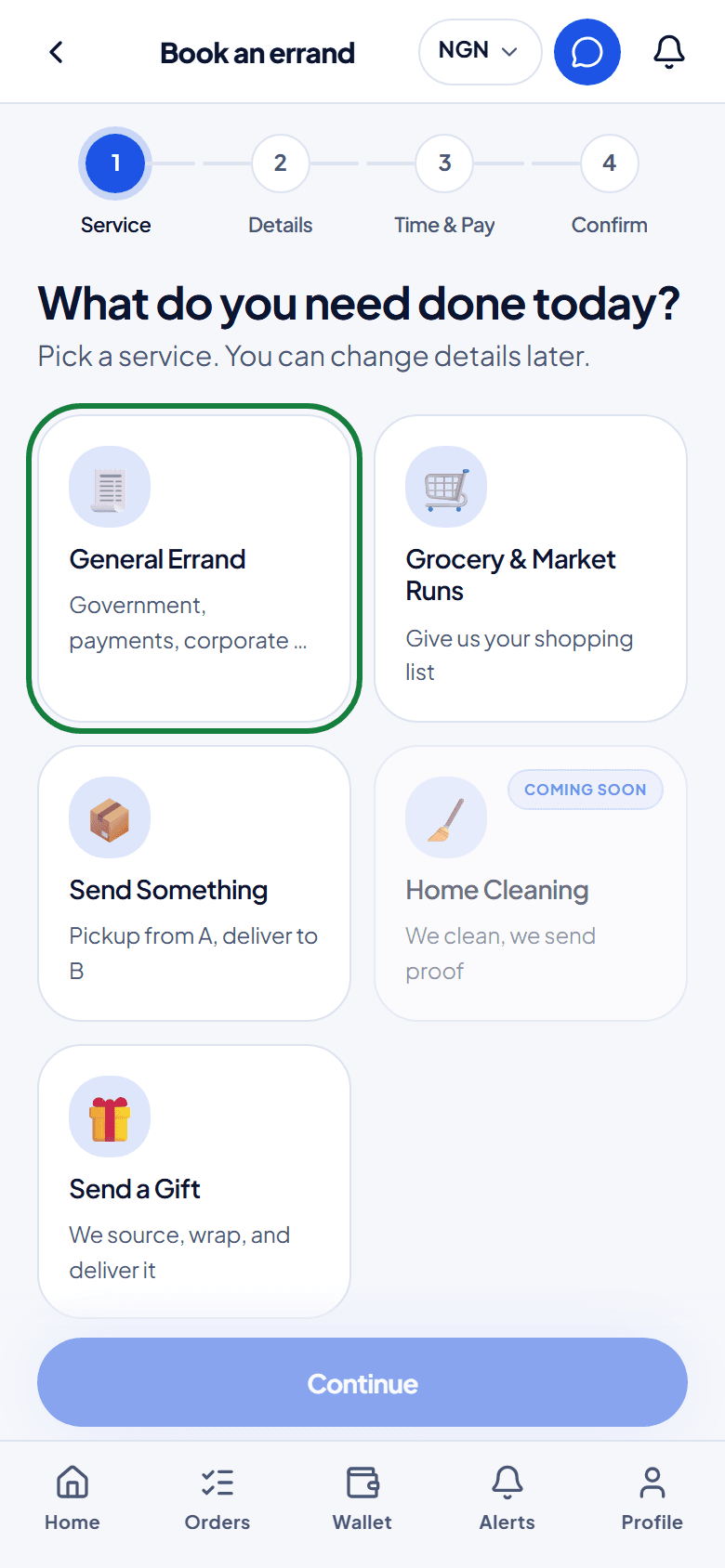
Pick what fits best: a general errand, a market run, sending something, or a gift. You can change the details later.
- 3
Describe the task
Say where the agent should go and what to do. Add what it should look like when it's done: it's what the agent works to, and what support checks if anything goes wrong.
- 4
Choose when, and send it
Pick ASAP, today or a scheduled time, check the price, and send the booking.
03
Choose your agent
On some tasks, vetted agents send you their price. Your orders list shows how many are waiting.
- 1
See who is interested
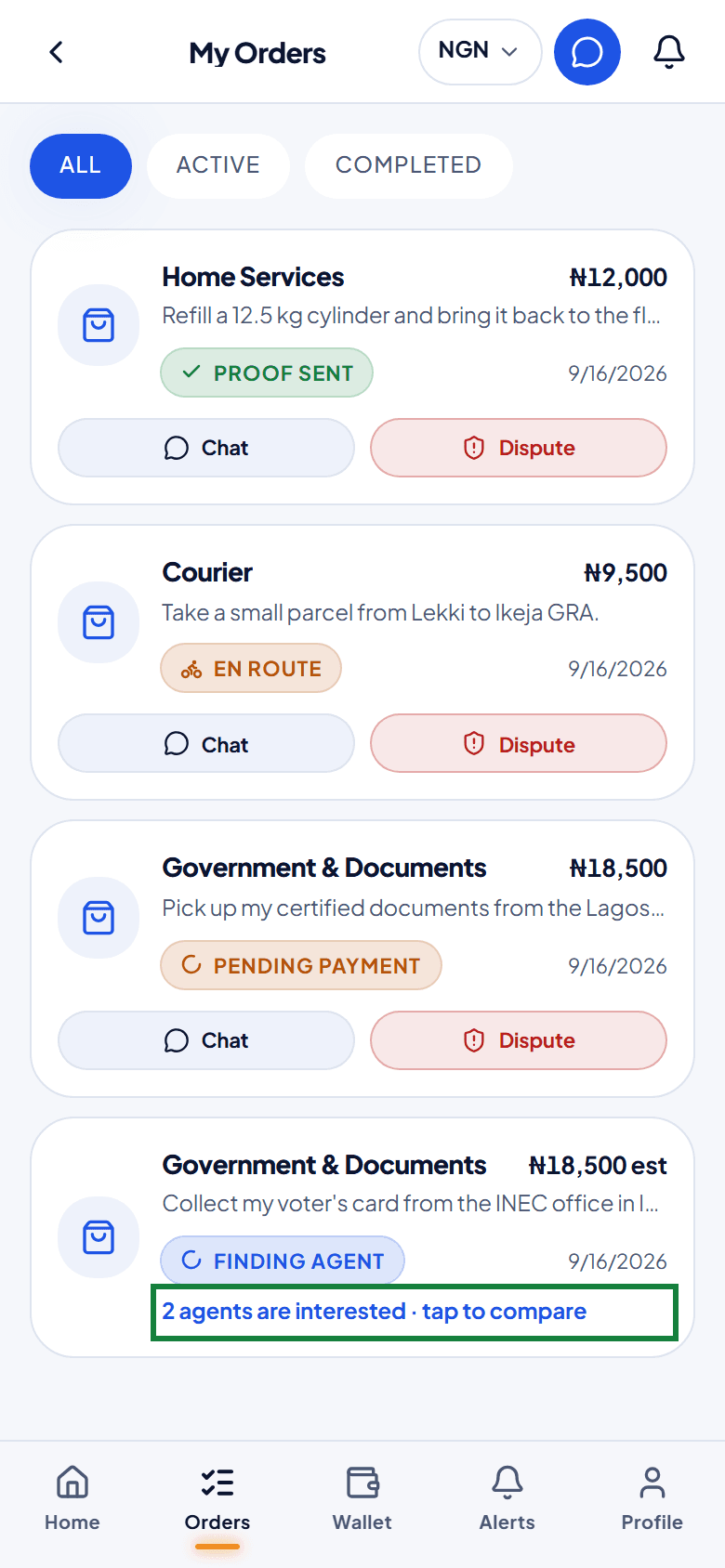
In My Orders, a task still finding an agent shows a line such as 2 agents are interested. Tap the order to compare them.
- 2
Compare the offers
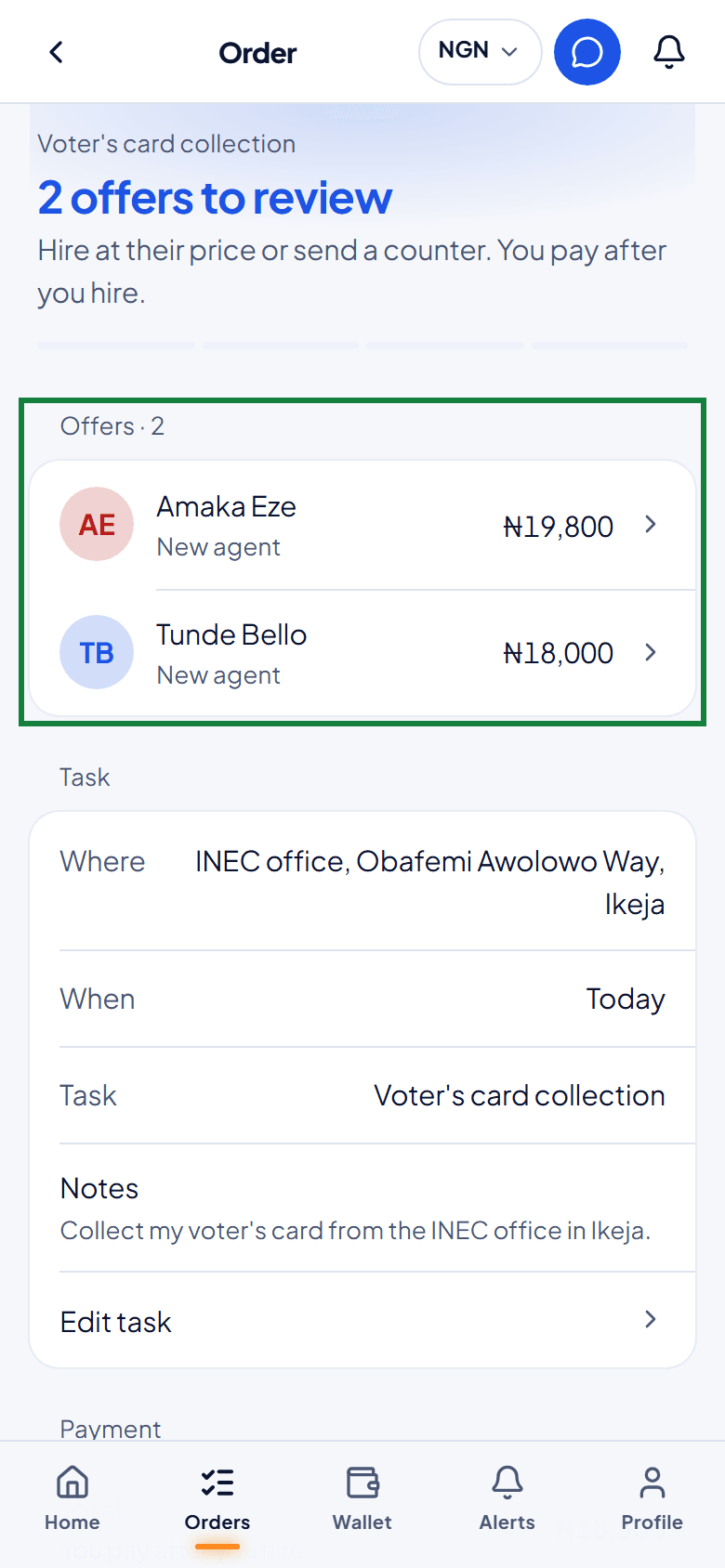
Each offer shows the agent, their rating and jobs done, and what you would pay in total. Tap one to open it.
- 3
Hire, or suggest a price
Tap Hire to choose that agent, or Counter to suggest a different price. Nothing is charged until you pay.
04
Pay, safely
Your money is held by Jomppa and only paid to the agent once you approve the finished job.
- 1
Tap Pay
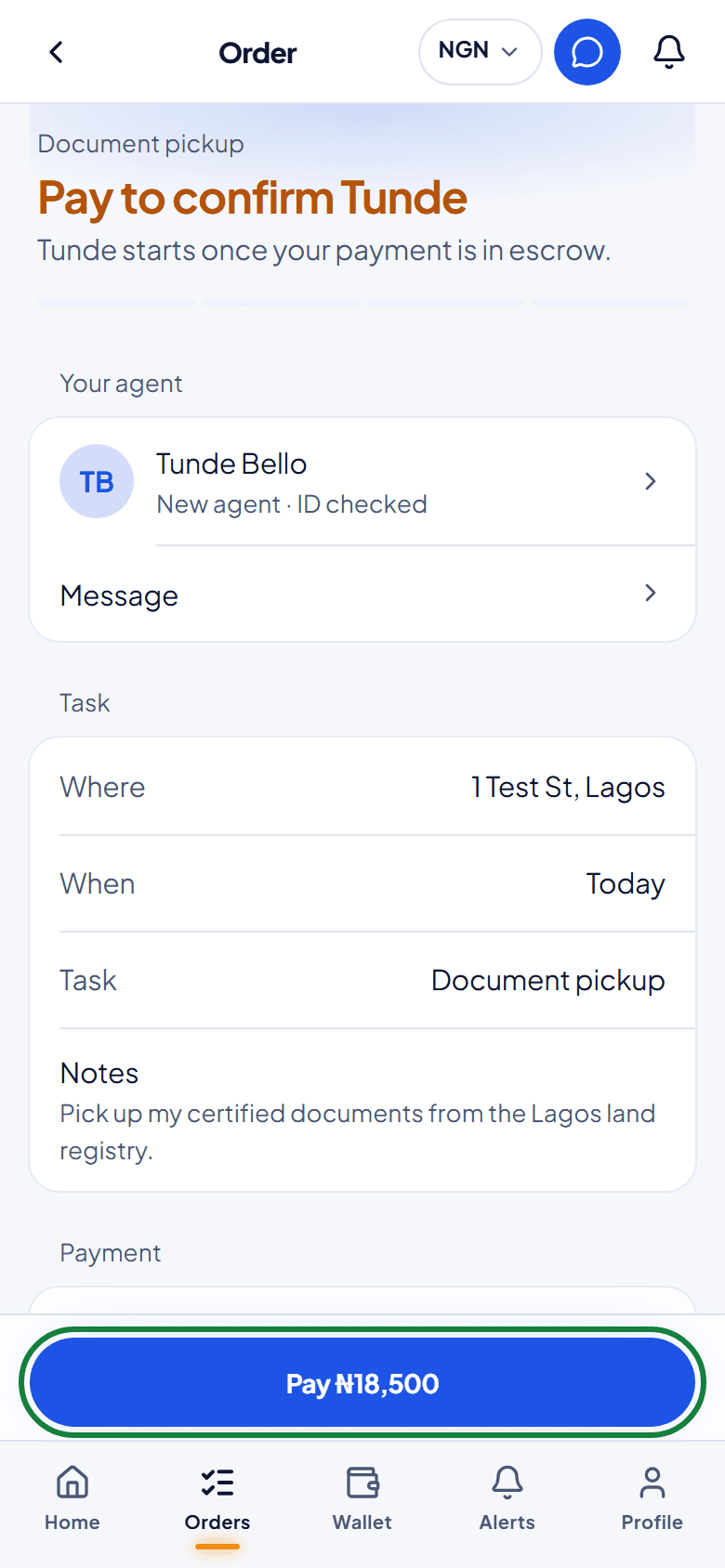
On the order, tap the Pay button at the bottom. It shows the exact amount.
- 2
Choose how to pay
Choose Pay from wallet if you have a balance, or Pay with card for a secure Paystack checkout. The order page then shows the money as held.
05
Follow the job
- 1
Track your agent
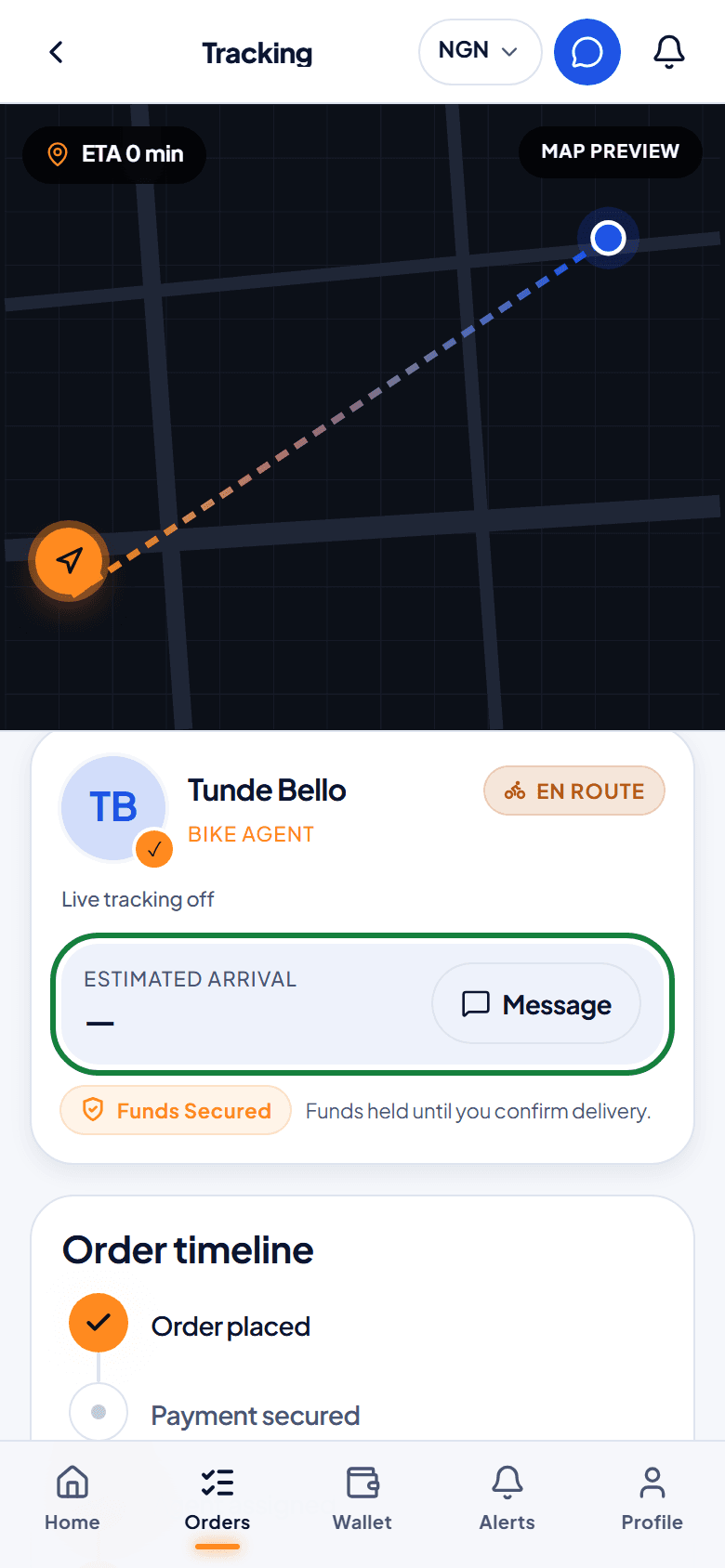
Once your agent is on the way, tap Track to see their progress and the estimated arrival time.
- 2
Chat with your agent
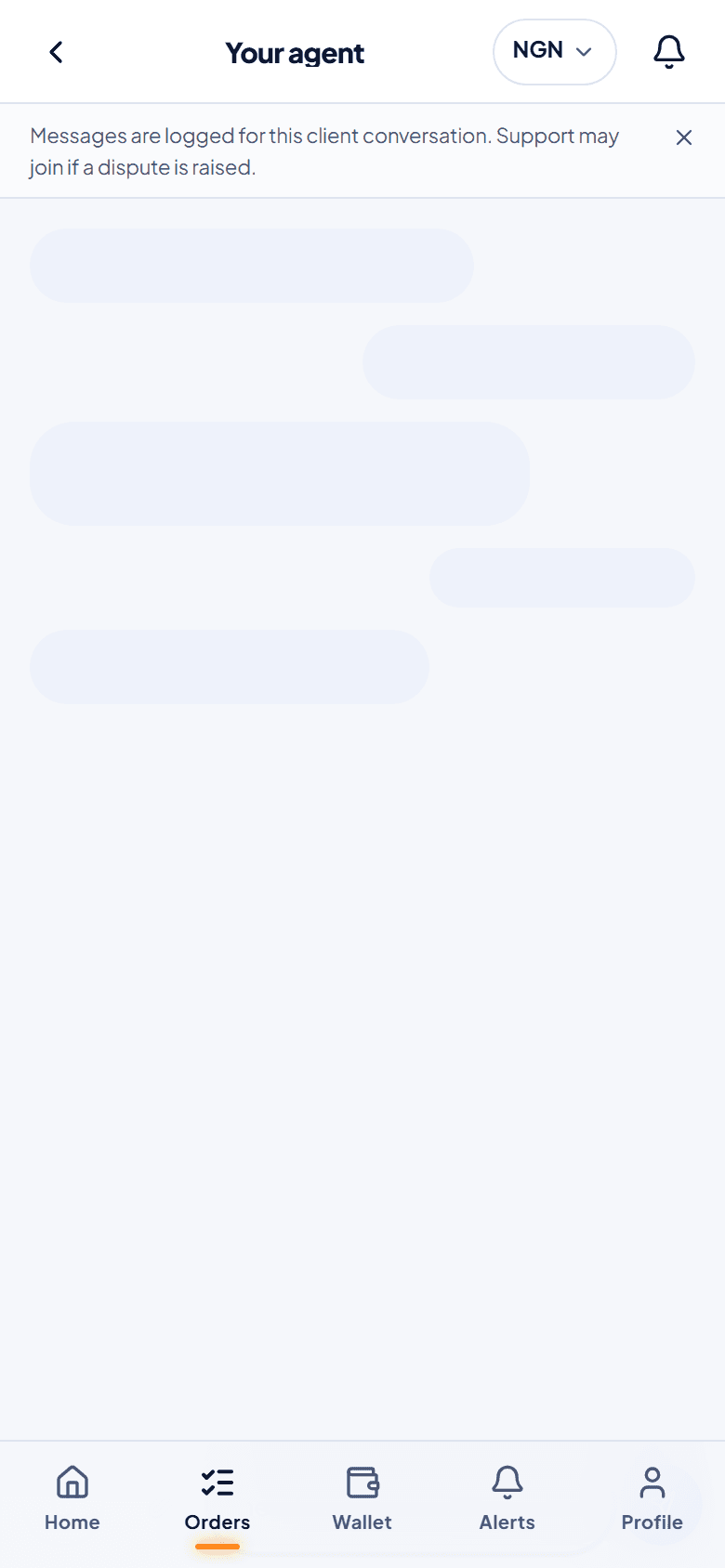
Tap Message to talk to your agent while the job is going on. Chat closes when the job is finished; you can still read it afterwards.
06
Check the proof and release payment
- 1
Check what the agent sent
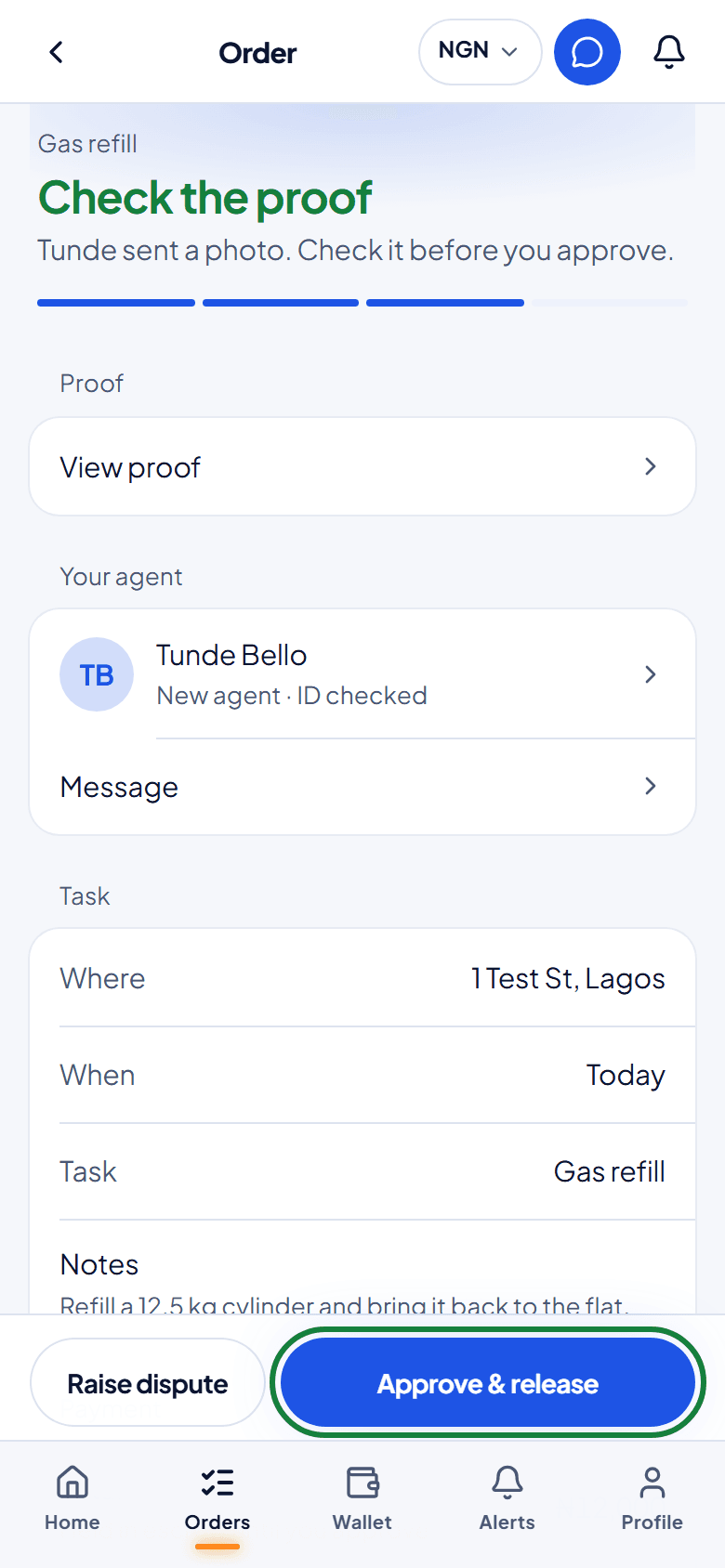
When the agent finishes, they send a photo as proof. Compare it with what you asked for.
- 2
Approve and release
If it's right, tap Approve & release and the agent is paid. If you do nothing, the payment releases automatically 24 hours after the proof arrives, unless you raise a dispute first.
07
If something went wrong
You can raise a dispute from the moment an agent is hired until 72 hours after the payment is released. Your money stays held while Jomppa looks into it.
- 1
Tap Raise dispute
On the order, tap Raise dispute and choose what you need help with.
- 2
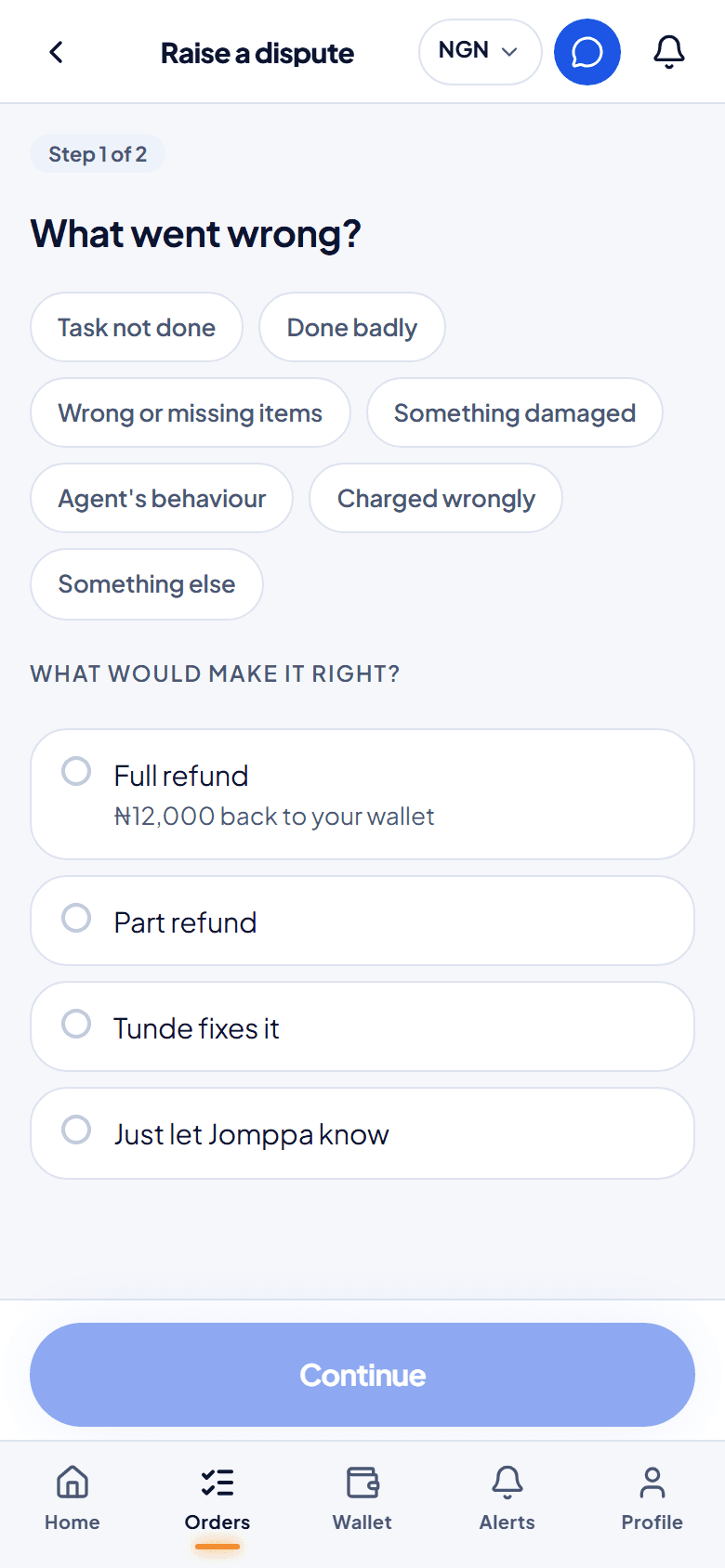
Say what went wrong, and what would make it right
Pick the reason, then choose a full refund, a part refund, a fix by the agent, or just letting Jomppa know. Next, describe what happened and add up to 5 photos or receipts.
- 3
Follow your dispute
Your dispute page shows who needs to act next and by when. The agent has 12 hours to give their side, and a named person from Jomppa decides. Answer any question they ask before its deadline.
08
Your wallet
- 1
Top up or withdraw
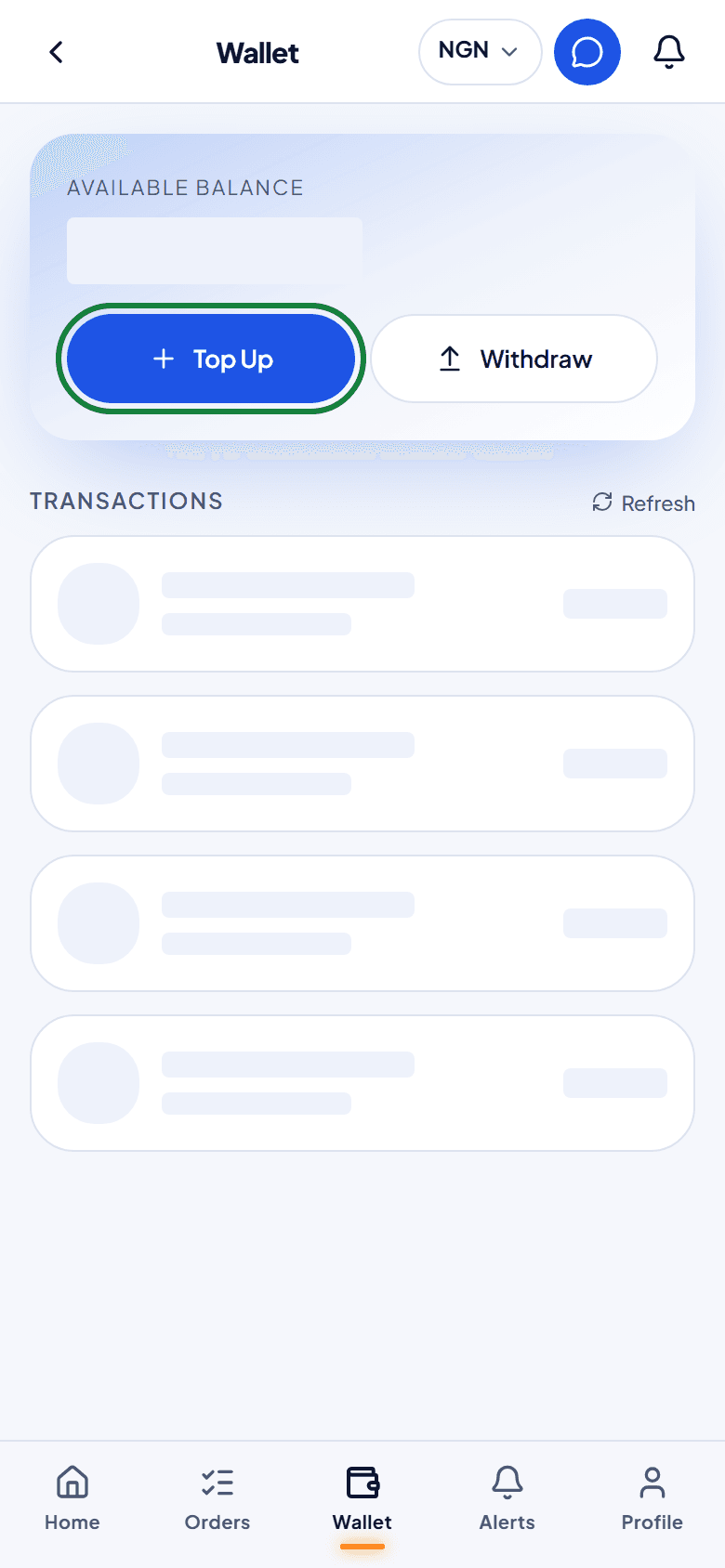
In Wallet, tap Top Up to add money for faster payments, or Withdraw to send your balance to a Nigerian bank account. Refunds from Jomppa land here too.